AI builds, edits and playtests your RPG Maker game
RPGM MCP Pro connects Claude Code, Cursor and other MCP clients to your RPG Maker MV or MZ project. The AI reads maps as text grids and images, writes events and database entries, understands your plugins, and plays the running game to test battles and find bugs. 165 tools.
Buy once, free updates. Works with VisuStella, Yanfly and your other plugins.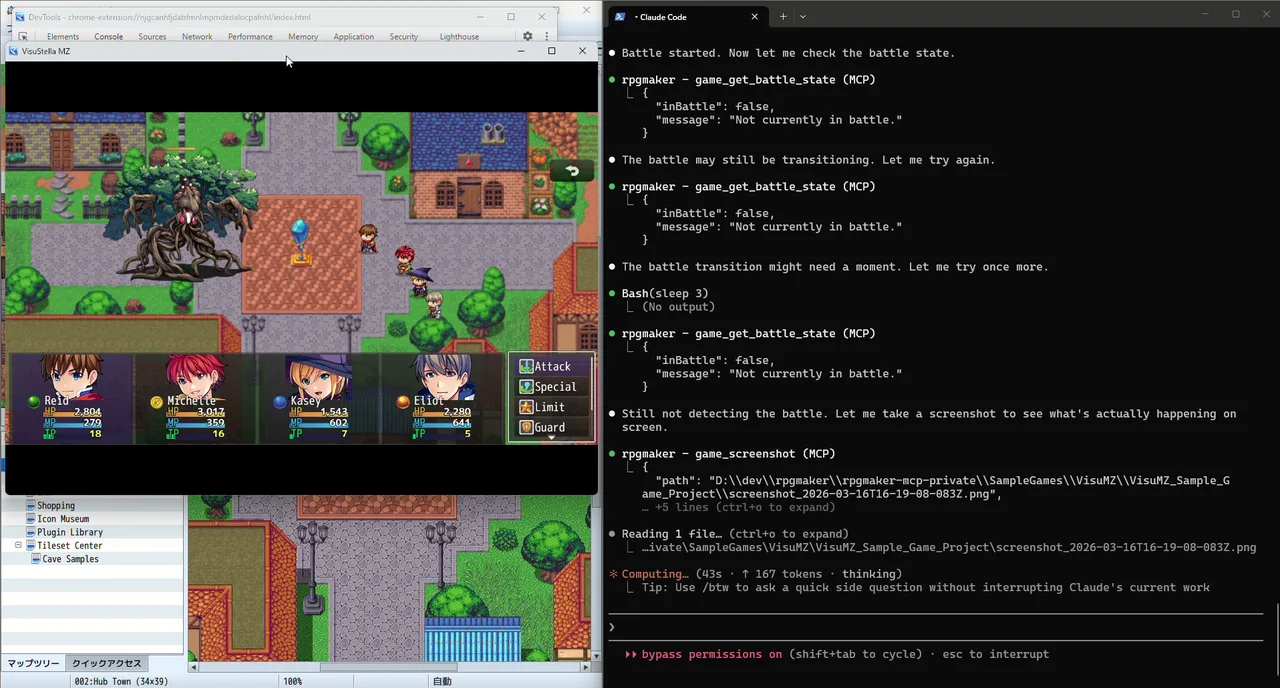
game_get_battle_state reads the party and the Treant, the AI picks skills. Game: VisuStella MZ sample project.Check my project for dead ends and unreachable chests, then fight the boss on Map 12 and tell me if it is too hard.
How it works
Two parts: a Node.js MCP server that your AI client starts, and an optional debug plugin that lets the AI drive the game during test play.
MCP client  --stdio-->  rpgmaker-mcp-pro (Node.js MCP server)
                              |                         |
             reads / writes   |                         |  HTTP on 127.0.0.1:8090
                              v                         v  (test play only)
             project data/*.json, js/plugins.js    MCP_Debug plugin in the running game
             maps, events, database, plugins       state, input, screenshots, battles
Editing does not need RPG Maker to be running: the server reads and writes the JSON files in your project's data folder and knows the formats (tile IDs and autotile shapes, event command codes, database fields), so the AI does not have to. For test play, the MCP_Debug plugin opens a small HTTP endpoint on 127.0.0.1 inside the running game, only in test mode. Because the AI plays your real game, every plugin you use is included.
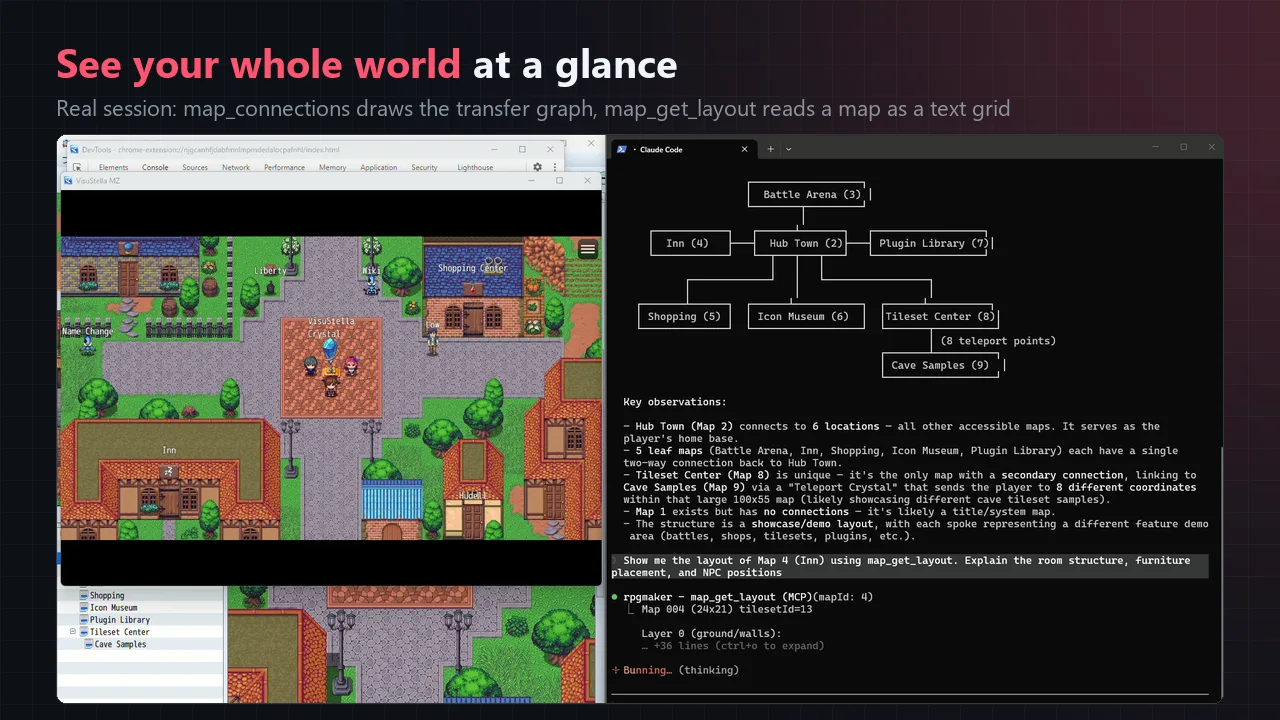
map_get_layout output for an inn (trimmed): the model reads rooms and the entrance from text.
What the AI can do in RPG Maker
Grouped by area. Tool names are the ones your AI client sees.
Map understanding
The AI "sees" maps as text grids: walls, floors, furniture and event positions. It places tiles where they belong instead of guessing coordinates.
map_get_layout map_get map_get_tile tile_lookup tile_infoMap image rendering 1.1
map_render composites your tileset graphics into a PNG with correct autotile shapes, shadows, regions and event markers, and hands it to the model. No game launch needed.
map_renderMap generation
Towns with buildings, roofs and doors, furnished interiors, dungeons with rooms and corridors. Autotile connections are fixed for you.
template_town template_building template_interior template_dungeon map_paint map_paint_border map_refresh_autotilesEvents
Create events and pages, set conditions, triggers and graphics, and add text, choices, branches, transfers, switches, shops and battles. 30+ command builders.
event_create event_add_text event_add_choices event_add_conditional_branch event_add_transfer event_set_page_conditionsEvent templates
One call for a treasure chest, NPC, shop, inn, door, switch door, save point, cutscene or encounter zone.
template_treasure_chest template_npc template_shop template_inn template_door template_cutsceneEvent flow and world graph
event_flow shows an event's logic as a readable tree. map_connections draws which maps connect, through which doors and at which coordinates.
event_flow map_connections event_search_text map_search_by_switchDatabase editing 1.1
Actors, classes, skills, items, weapons, armors, enemies, troops, states and common events. Batch edits such as "enemy HP x1.5", search, and trait/effect code tables so the data stays valid.
db_get db_set db_create db_batch db_search db_reference common_event_setPlugin-aware 1.1
Reads the @param, @command and @arg annotations of your installed plugins (VisuStella-sized files included) plus your current settings, so plugin commands are right the first time.
plugin_list plugin_info plugin_search plugin_commandsBattle simulation
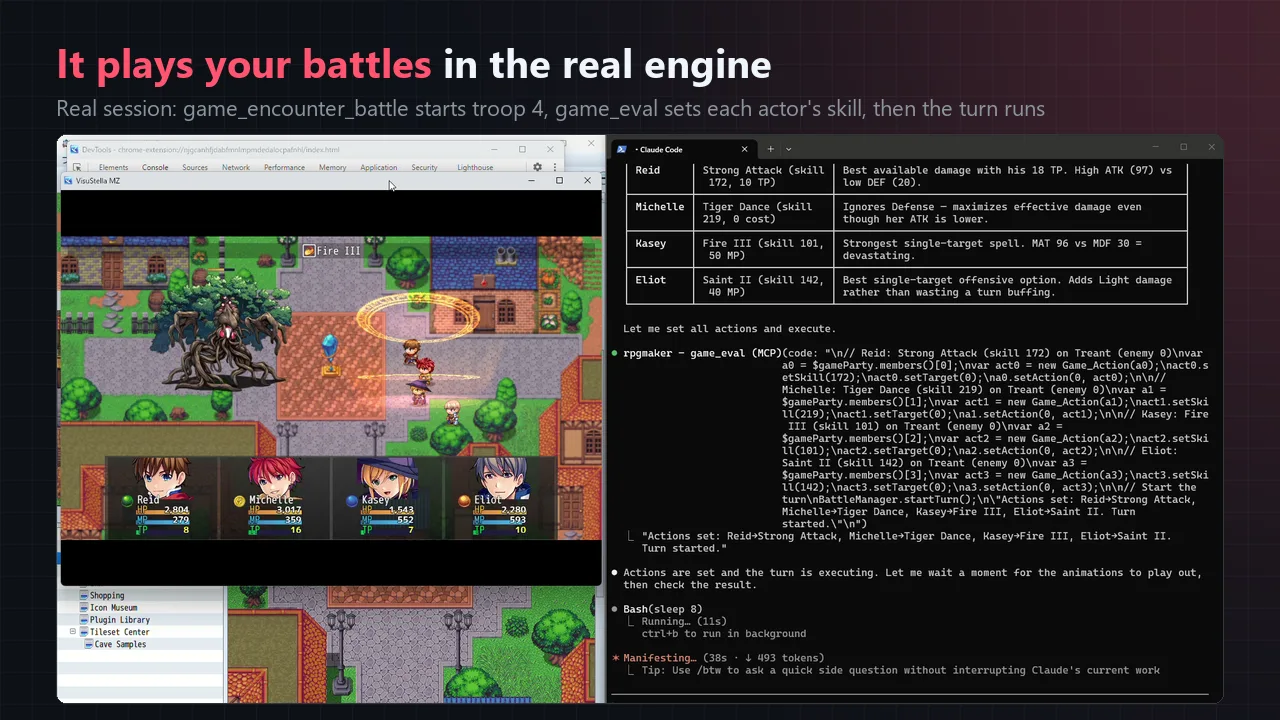
The AI starts battles in your real game, reads HP, MP, TP, states and skills, chooses actions and runs the turns. Works with any battle plugin.
game_encounter_battle game_get_battle_state game_evalAI test play
Screenshots, input, teleport, switches, variables, items, gold, party, saves. Focus-free input: the game keeps running while you work in another window.
game_screenshot game_input game_teleport game_get_state game_set_switch save_createLogic check and QA
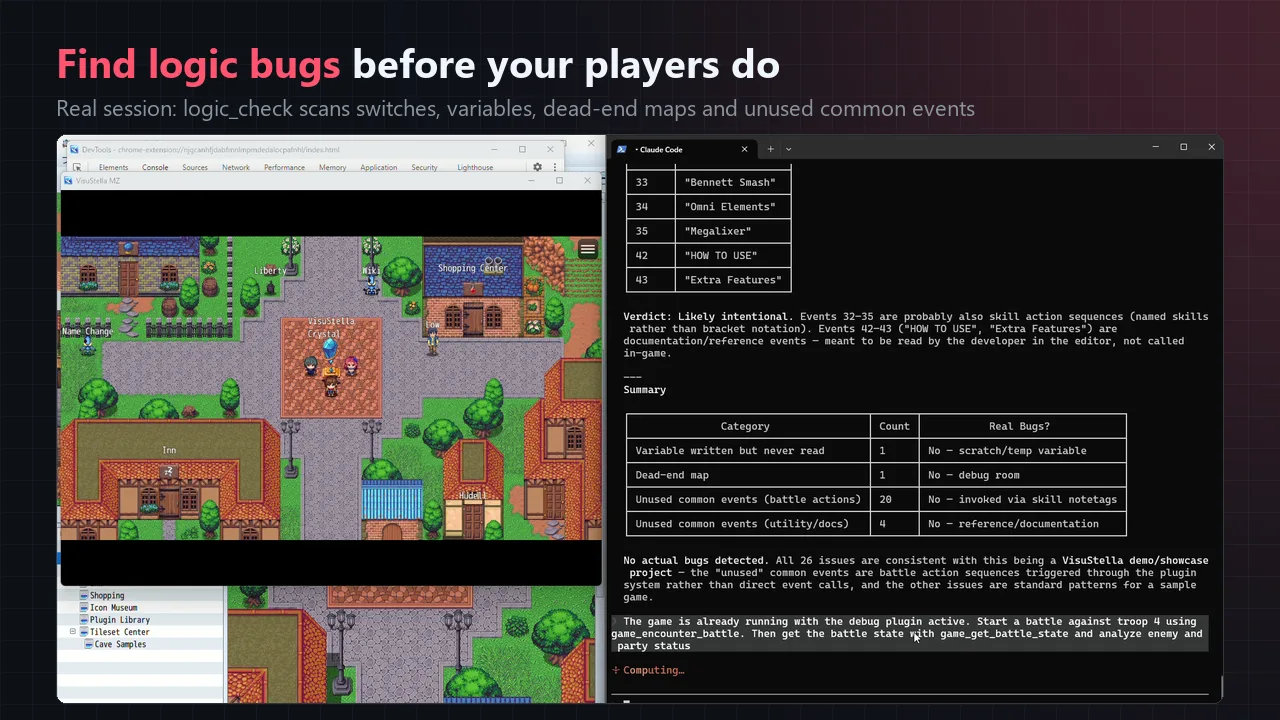
Find switches checked but never set, dead-end maps, unused common events and content the player cannot reach. Run scripted regression scenarios against the game.
logic_check qa_reachability qa_reachability_all qa_run_scenarioTranslation, undo, assets 1.1
Export every line of dialogue and database text to JSON or CSV and import it back safely. Undo any AI edit. Find unused images and audio.
text_export text_import journal_undo journal_diff asset_audit165 tools in 13 categories
testplaylaunch, input, battles, saves, screenshotseventpages, commands, text, choices, event_flowmaptiles, layout, connections, search, autotilestemplatechest, door, NPC, shop, inn, town, dungeondatabaseactors, items, skills, enemies, common eventsprojectload, backup, validate, logic_checkmoverouteroute builder, patrol, approachplugin@param / @command annotationsqareachability, regression scenariostextexport / import text for translationjournalundo and diff of AI editsassetsunused images and audiorendermap_render: map to PNGScreenshots
Frames from the English demo: Claude Code on the right, the running game on the left.
Demo
One continuous session: load a project, map the world, read events, run a logic check, and win a battle in the real engine.
Japanese version: RPGM MCP Pro デモ: AI がゲームを理解・分析・プレイする
Supported clients
Any MCP client that can start a local stdio server. Configs for the first three are in the setup guide.
claude mcp add rpgmaker -- node <path>/dist/index.js~/.cursor/mcp.json or a project .cursor/mcp.jsonclaude_desktop_config.jsonInstall outline
About five minutes. Full instructions ship in the download; the setup guide walks through every step.
Unzip the download (Node.js 18+)
Put the rpgmaker-mcp-pro folder somewhere permanent, for example C:\tools\rpgmaker-mcp-pro. Dependencies are included, so there is no npm install step.
Register the server with your AI client
claude mcp add rpgmaker -- node C:/tools/rpgmaker-mcp-pro/dist/index.jsLoad your project
Ask: "Load my RPG Maker project at D:/games/MyRPG with project_load." MV or MZ is detected automatically.
For test play, add the debug plugin
Ask the AI to run testplay_inject_debug_plugin, turn MCP_Debug on in the Plugin Manager once, then start test play (MZ: Ctrl+R in the editor).
Requirements: RPG Maker MV or MZ, Node.js 18 or later, and an MCP client. MV and MZ are auto-detected.
What to expect in 1.1.0
- Edits go straight into your project's data files. If the RPG Maker editor is open it will ask to reload; save your own edits first so the editor does not overwrite the AI's changes, or the other way round.
- Test play:
testplay_startlaunches MV projects (Game.exe). MZ projects are started from the editor with Ctrl+R; the AI then connects to the running game. MCP_Debughas to be switched on once in the Plugin Manager. It only runs during test play and listens on 127.0.0.1.- Map templates and tile names follow the default tilesets. MV and MZ lay out their B–E sheets differently, so the AI looks tiles up by name; for custom tilesets, name the tiles once with
tile_set_name/tile_generate_names. map_renderdraws animated A1 water at its first frame.- Developed and demoed on Windows with RPG Maker MZ. MV support is built in (auto-detected); macOS and Linux have had less testing.
- All later updates are free for buyers.
FAQ
What is RPGM MCP Pro?
Does it work with RPG Maker MV and MZ?
Do I need RPG Maker running?
Will it work with my plugins (VisuStella, Yanfly and others)?
Can the AI see the maps it makes?
What if the AI breaks something?
Is the debug plugin safe to ship?
Which AI clients work?
How much is it, and is there a subscription?
Guides
Step-by-step articles. All guides
- MCP server with 165 tools in 13 categories
- MCP_Debug plugin for AI test play (test mode only)
- CLAUDE.md reference of RPG Maker data formats for the AI
- RPG Maker MV and MZ, auto-detected
- Write journal with undo for every AI edit
- Free updates; Business Source License 1.1
Japanese page and itch store: 日本語ページ · itch.io (日本語)
More MCP Pro tools
Same idea, other apps.